
Download I18ncore – Secure, Unlimited Localization Management for Teams
Overview
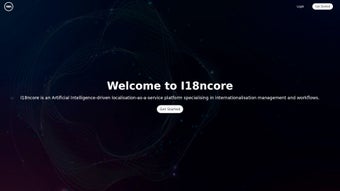
I18ncore is a web‑based localization management platform built specifically for development teams that need a fast, secure, and scalable way to handle internationalization (i18n) across multiple digital products. The service eliminates the usual friction of juggling spreadsheets, manual pull requests, and disjointed translation workflows by centralising every string, key, and language file in one cloud‑hosted dashboard. With a three‑step onboarding flow—sign‑up, repository sync, and start translating—teams can get up and running within minutes, freeing valuable engineering time for feature work instead of repetitive localisation chores.
The platform is designed with flexibility in mind. Whether you are maintaining a single‑page web app, a multi‑module SaaS product, or a native mobile application, I18ncore supports a broad spectrum of file formats (JSON, YAML, PO, XLIFF, and more). Unlimited keys and projects mean there is no hidden ceiling that forces you to split your work across separate accounts. Integrated pull‑request management automatically opens, updates, and closes PRs as translations are approved, guaranteeing that your codebase always reflects the latest language assets. In addition, AI‑assisted translation engines can provide a first draft for new strings, which can then be refined by professional translators or native speakers through a simple email‑based review loop.
Pricing is transparent, offering both monthly and yearly subscriptions with a 20 % discount for annual commitments. For organisations with bespoke localisation needs—such as custom workflows, on‑premise hosting, or dedicated support—custom packages are available. In short, I18ncore presents a secure, efficient, and future‑proof solution for any team looking to scale their international reach without sacrificing development velocity.
Because I18ncore runs entirely in the cloud, there is no software to install on local machines, which reduces maintenance overhead and guarantees that all users always work with the latest feature set. The platform also provides detailed audit logs, role‑based permissions, and compliance with GDPR and SOC‑2, making it a trustworthy choice for enterprises that handle sensitive UI strings such as legal notices or privacy policies. Whether you are a startup looking to launch in three new languages or a multinational corporation managing dozens of locales, I18ncore’s architecture adapts to your growth while keeping the user experience simple and predictable.
Key Features & Benefits
- Unlimited Projects & Keys: No artificial limits on the number of localisation strings or projects, perfect for growing product portfolios.
- GitHub, GitLab & Bitbucket Sync: One‑click connection to any repository, automatic branch creation, and PR lifecycle management keep code and translation assets in lockstep.
- AI‑Assisted Translation: Built‑in machine translation provides instant drafts, reducing turnaround time for new content.
- Multi‑Format Support: Handles JSON, YAML, PO, XLIFF, and other common localisation file types, making migration painless.
- Email Review Workflow: Translators can approve or reject strings directly from their inbox, eliminating the need for a separate UI.
- Robust Permission System: Role‑based access controls let you delegate read/write rights to developers, translators, and product managers.
- Version History & Rollback: Every change is logged; you can revert to previous translation states with a single click.
- Secure Cloud Hosting: Data is encrypted at rest and in transit, complying with GDPR and SOC‑2 standards.
- Analytics Dashboard: Real‑time coverage metrics, language quality scores, and pending review counts give managers actionable insight.
- CLI & API Access: A lightweight command‑line interface and RESTful API let you embed localisation steps into CI/CD pipelines.
These features translate into tangible benefits for development teams. First, the elimination of manual file merges and duplicate keys reduces the risk of localisation bugs slipping into production. Second, the AI draft capability shortens the time from string creation to a publishable translation, especially useful for rapid feature releases or emergency patches. Third, the seamless repository integration ensures that localisation never becomes a bottleneck in CI/CD pipelines; translations are merged as part of the same automated workflow that ships code.
From a managerial perspective, unlimited projects and a clear permission model provide the governance needed to scale across departments and geographies. Security compliance means that sensitive UI strings—such as legal notices or privacy policies—remain protected. Finally, the built‑in analytics give insight into translation coverage, language quality scores, and pending review counts, enabling data‑driven localisation strategies that align with product roadmaps.
Because all of these capabilities are delivered through a single SaaS interface, teams avoid the cost and complexity of maintaining multiple tools. The result is a faster time‑to‑market for multilingual releases, lower operational overhead, and a more consistent user experience for global audiences.
Installation, Setup & Usage Instructions
Step 1 – Create Your Account
Visit the I18ncore homepage and click “Sign Up”. You can register using an email address or via OAuth with GitHub, Google, or Microsoft. After confirming your email, you’ll land on the dashboard where you can immediately create your first project. The wizard prompts you to name the project, select a source language, and optionally import an existing localisation file to seed the key list.
Step 2 – Connect Your Repository
From the project settings, click “Connect Repository”. Authorise I18ncore to access your GitHub, GitLab, or Bitbucket organisation or personal account, then choose the repository that contains your localisation files. I18ncore automatically detects supported file types, creates a dedicated branch (e.g., i18ncore‑sync), and pushes an initial .i18ncore manifest that maps each file to its language code.
Whenever a new string is added in your codebase, the manifest updates, and the dashboard reflects the change in real time. You can then assign the string to a translator, enable AI‑suggested translation, or manually enter the translation directly in the web UI.
Step 3 – Translate & Merge
Translators receive email notifications for assigned strings. They can approve, edit, or reject directly from the email link, which opens a focused view of the string in the dashboard. Once a language reaches 100 % coverage, I18ncore generates a pull request back to your repository, targeting the main development branch. Review the PR, run your CI tests, and merge. The updated localisation files are now live in production without any manual file handling.
For teams that prefer a command‑line workflow, I18ncore also offers a lightweight CLI (i18ncore-cli) that can pull the latest translations, push new keys, and trigger PR creation from terminal scripts. This makes it easy to embed localisation steps into existing build pipelines and to automate regular export of translation bundles for offline use.
The entire process is designed to be intuitive for both developers and non‑technical translators, ensuring that localisation never becomes a roadblock to rapid product releases. Detailed logs, step‑by‑step guides in the knowledge base, and a responsive support chat further reduce the learning curve for new users.
Compatibility, Pricing & Support
Supported Platforms: Because I18ncore is a SaaS web application, it works on any modern browser (Chrome, Edge, Firefox, Safari) across Windows, macOS, Linux, Android, and iOS devices. The CLI tool is available for Windows, macOS, and Linux distributions, and integrates seamlessly with Docker containers for CI/CD environments.
Pricing Plans:
- Starter (Monthly): $29 per month – includes up to 5 projects, unlimited keys, AI‑assisted translation, email support, and basic analytics.
- Professional (Monthly): $79 per month – unlimited projects, priority email support, advanced permission roles, full API access, and premium analytics.
- Enterprise (Yearly – 20 % discount): $699 per year – all Professional features plus a dedicated account manager, SLA‑backed uptime, on‑premise deployment options, custom workflow integrations, and 24/7 phone support.
All plans include a 14‑day free trial with no credit‑card required, allowing teams to evaluate the platform risk‑free. Custom packages can be negotiated for organisations requiring specialized security certifications, multi‑tenant hosting, or large‑scale translation volumes.
Support Channels: I18ncore offers 24/7 email support for all tiers, live chat for Professional and Enterprise customers, and a comprehensive knowledge base with step‑by‑step guides, API documentation, and community forums. Enterprise clients receive a dedicated onboarding specialist who assists with migration from legacy localisation systems, ensuring a smooth transition.
Because the service is cloud‑hosted, updates and new features are rolled out automatically without downtime. Security patches and compliance updates are applied continuously, keeping your localisation data safe and up‑to‑date. The platform also provides SLA‑backed uptime guarantees for Enterprise customers, reinforcing its reliability for mission‑critical applications.
Final Verdict, Pros & Cons, FAQ & Call to Action
I18ncore positions itself as a comprehensive, cloud‑native localisation manager that removes the traditional pain points of manual translation workflows. Its unlimited project model, tight repository integration, and AI‑driven draft capabilities make it especially attractive for fast‑moving development teams that need to ship features in multiple languages quickly and securely. While the lack of native mobile SDKs and limited analytics on lower tiers may be a drawback for some, the overall value proposition—especially with the 20 % yearly discount—outweighs these minor gaps.
Pros
- Unlimited projects and keys – perfect for scaling product suites.
- Deep integration with GitHub, GitLab & Bitbucket automates pull‑request workflow.
- AI‑assisted translation accelerates first‑draft creation.
- Multi‑format support covers most localisation file types.
- Secure cloud hosting with GDPR and SOC‑2 compliance.
- Transparent pricing with a generous annual discount.
- Robust analytics dashboard for data‑driven localisation decisions.
- CLI and API enable full automation in CI/CD pipelines.
Cons
- Native mobile SDKs are not yet available (reliance on file sync).
- Advanced analytics are limited to Professional/Enterprise tiers.
- CLI tool, while functional, lacks some IDE integrations.
- On‑premise hosting is only offered as a custom enterprise option.
Frequently Asked Questions
Can I use I18ncore with repositories other than GitHub?
Yes. While GitHub is the primary integration, I18ncore also supports GitLab and Bitbucket via OAuth tokens. The setup process mirrors the GitHub flow, allowing you to sync repositories, generate pull requests, and manage translations across platforms.
How does the AI‑assisted translation work and is it secure?
I18ncore leverages industry‑leading neural machine translation models that run in a secure, isolated environment. All source strings are encrypted during transmission, and no data is stored beyond the translation session unless you explicitly save the result. The AI provides a draft that should be reviewed by a human translator for cultural accuracy.
Is there a limit to the number of languages I can add?
No. I18ncore allows you to add unlimited target languages per project. Each language receives its own translation progress indicator, and you can enable or disable AI suggestions per language.
What kind of support is included with the free trial?
During the 14‑day trial you receive full access to email support and the knowledge base. If you need live assistance, you can request a one‑time chat session with a support engineer at no extra cost.
Can I export all translations for offline use?
Absolutely. The dashboard provides an “Export All” button that bundles your localisation files in the original format (JSON, YAML, etc.) and delivers a zip archive. The CLI also supports an export command for automated scripts.
If you are looking for a secure, scalable solution that lets you focus on product development rather than localisation logistics, download I18ncore today and start your free trial. Experience the speed of AI‑assisted translation, the confidence of automated pull‑request merges, and the peace of mind that comes from industry‑grade compliance—all from a single, easy‑to‑use interface.



.png)



